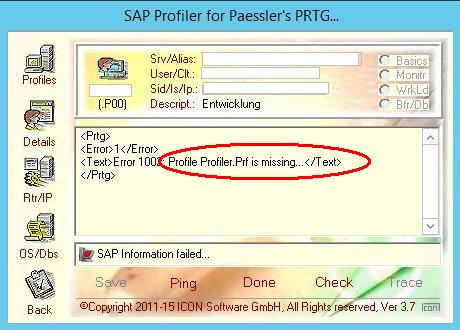
Message: "Profile Profiler.Prf is missing"
___________________________________
Diese Meldung zeigt auf folgende Situationen hin:
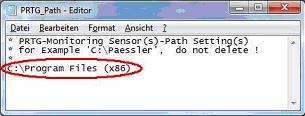
- Einmal ist es ein Hinweis, ob die Datei "
C:\Prtg_Path.Txt" richtig angelegt wurde und in der Datei selbst der Pfad zu der PRTG-Installation enthalten ist (siehe auch die Datei "
SapPrtg Hints.Pdf").
- Weiterhin kann es sein, dass der Profiler selbst als
Admin gestartet sein muss. Dies ist abhängig davon, wie die Installation im Windows vorgenommen wurde.
- Eine weitere Möglichkeit besteht darin dass die erforderlichen Dateien nicht direkt im
"...\ExeXml"-Verzeichnis von PRTG eingestellt wurden. Hinweis: Es gibt auch nur ein Verzeichnis
"...\Exe" im Prtg, bitte dieses nicht verwenden.
Dateianhang:
 Path.Jpg [ 10.1 KiB | 251-mal betrachtet ]
Dateianhang:
 Profile48.JPG [ 34.5 KiB | 259-mal betrachtet ]
This announcement points to following situations:
- Once it is a tip whether the file "
C:\Prtg_Path.Txt" was properly put on and in the file even the path for the PRTG installation is included (see the also file "
SapPrtg Hints_En.Pdf").
- Furthermore it can be that the Profiler must be begun even as an
Admin. This is dependent like the installation in Windows was carried out.
- An other possibility consists in it that the necessary files not directly in the
"...\ExeXml" list of PRTG were put. Tip: There is just one list
"...\Exe" in the Prtg please this do not use.